 PotomAndroid ↗
Choose one thing to read before organising the rest
Open your reading list and choose an article that would help with something you care about this week. Read it, or read the section that answers your question. You have just made the queue useful without sorting hundreds of links.
A backlog is not automatically a problem. Some saved items are references, some are possibilities, and some no longer matter. The difficulty begins when all three look like unfinished obligations. Give them different jobs before choosing a new app.
Separate a reading queue from a reference shelf
| Kind of save | Example | What to do with it |
|---|---|---|
| Read soon | An explanation for a decision this week | Keep a small visible queue |
| Reference | Instructions you use only when a device needs repair | Add a searchable reason; no reading deadline |
| Possibility | A hobby project you might try someday | Keep it outside the active queue |
| No longer useful | A recommendation that no longer fits | Remove it if you no longer need it |
These can be folders, tags or simply words in a note. Do not spend an afternoon choosing labels. The distinction that matters is whether you intend to read something soon or want to find it when a particular need appears.
Try a ten-item reset
- Take ten recent saves. Leave the rest alone for now.
- Write a short reason beside each item you still want.
- Choose at most three for your immediate reading queue.
- Move references and possibilities out of that queue.
- Read one selected item before processing another batch.
Ten and three are convenient limits for this exercise, not rules about how memory works. Make them smaller if the exercise feels like another chore. The aim is to create a queue you can actually use, rather than a beautifully organised record of everything you might do.
Imagine a queue containing a work explainer, three travel guides and an old buying guide. If the work decision is on Friday, that explainer belongs near the top. The travel guides can wait with the trip notes. If you already bought the item, the buying guide may no longer deserve attention.
A worked example: ten real articles, three to read next
For this editorial exercise, we selected ten published Potom guides and gave the collection one concrete purpose: prepare to move browser bookmarks and decide which sources need a separate copy. This is a constructed reading plan using real articles, not a user study or a test of automatic sorting.
| Next action | Articles from the sample | Reason |
|---|---|---|
| Read next: 3 | Import browser bookmarks; bookmark versus webpage archive; AI bookmark manager | These answer the immediate questions: how to move links, what is preserved, and whether a different tool is needed. |
| Keep as references: 5 | Find saved videos; saved Facebook Reels; save recipes; GitHub from video; identify a film or anime | Useful when the corresponding problem arises; no need to read all five before moving bookmarks. |
| Leave for later: 2 | Shopping from reviews; simple second brain on Android | Separate projects that do not help with this specific decision. |
The result is a plan with three immediate reads, five references and two later possibilities. All ten links remain available. Every item now has an explicit next action; completing the reading remains a separate step.
Start with the guide to importing bookmarks
Write the first question before opening it: “What file do I need to export from my browser?” Once you have the answer, the next task is to create that file. The other seven articles do not become urgent simply because they were saved.
Save a question with the next article
Instead of “interesting article”, write “does this explain how to move my bookmarks?” A question gives you something to look for when you reopen the page. It also gives you permission to stop once the useful part is clear.
For a reference, write the future trigger: “when the backpack zip sticks” or “before planning the next train trip”. Those phrases are retrieval clues. You do not need to predict the perfect category for every possible use.
If a reminder helps, attach it to a real opportunity to read. A reminder on every saved article will simply recreate the backlog in your notifications.
Where to keep the question in Potom
The capture form has separate fields for the source link, a title and a note. For the bookmark guide, a useful title would be “Move browser bookmarks”; the note could be “Find the export format before changing apps”. These are suggested entries; the screenshot shows the empty form.
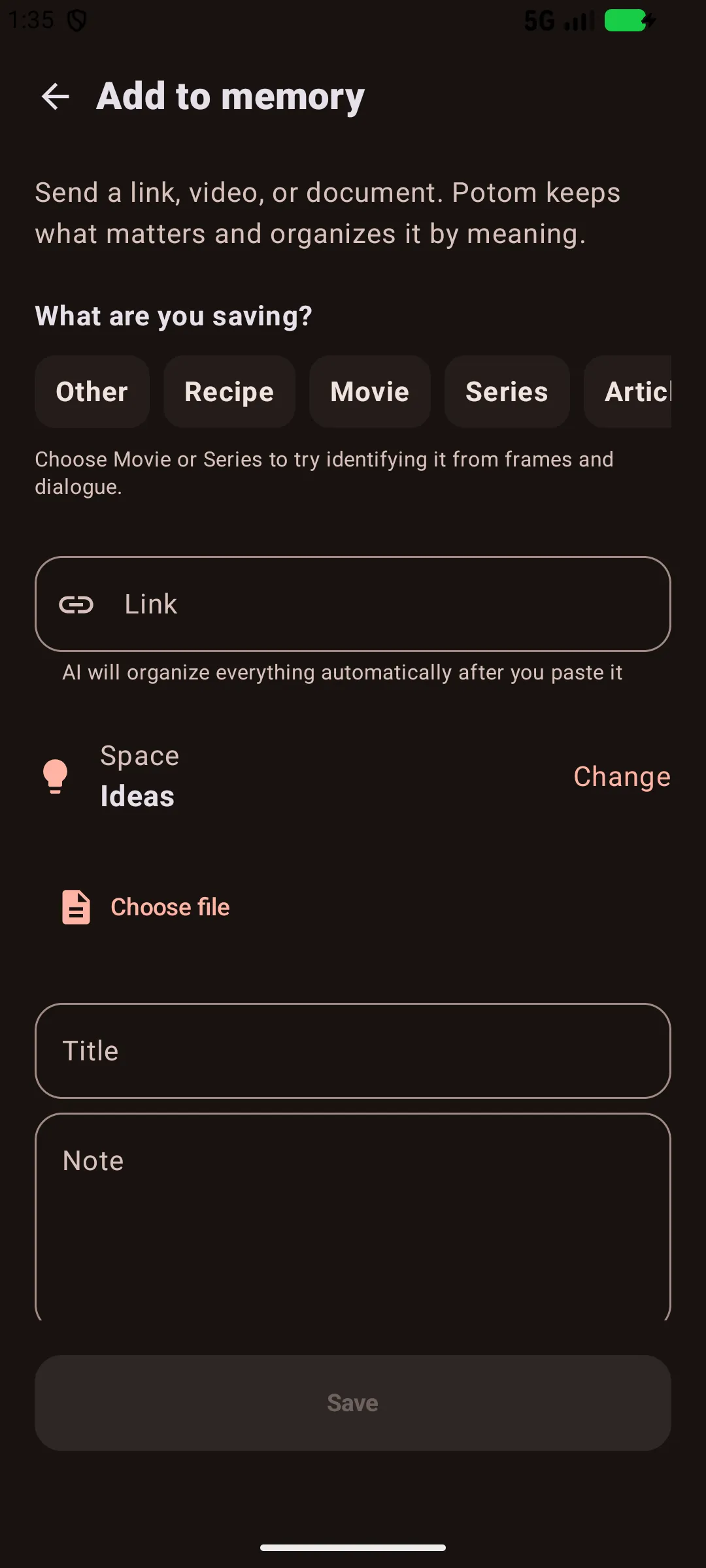
Keep the original link so you can return to the source, and make the note specific enough to recognise the task later. The same title-and-question approach works in an ordinary notes app.
Change tools only when you can name the missing capability
You may need a comfortable reader, offline access, highlights, export or search across mixed material. Pick the missing capability first and test it on a few saves. Moving a neglected queue into another app does not decide which article you want to read.
Potom can help when useful material is spread across Android apps and you want to keep a source with searchable context. It is an option for that workflow, not a guarantee that you will finish a reading backlog. An ordinary notes app or browser folder may be sufficient for a small queue.
Choosing a read-later or bookmark tool after Pocket
At your next review, ask what you used rather than how many links you collected. If the list helped you answer a question or enjoy a good read, keep the habit. If it only grew, make the active queue smaller before adding another layer of organisation.